What Laptop Specs Do College Students Actually Need in 2026?
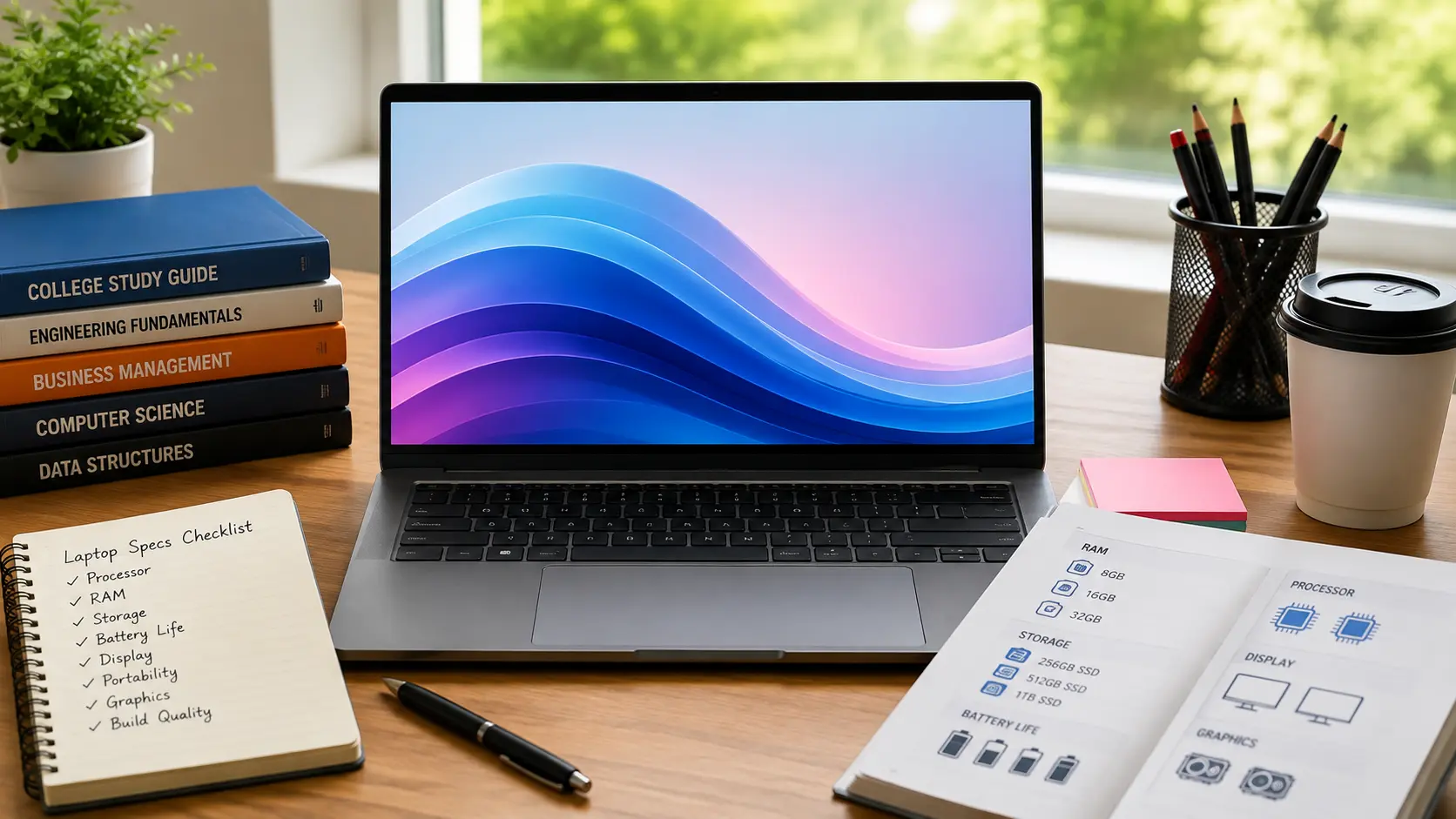
College students in 2026 should look for 8–16GB RAM, a modern Core i5 or Ryzen 5 processor, 256–512GB SSD storage, and reliable battery life. For coding, design, or heavy multitasking, 16GB of RAM and a more powerful processor are better choices.
If you’re wondering, What Laptop Specs Do College Students Actually Need in 2026?, the answer depends on your major, software, budget, and how you plan to use the laptop.
What Laptop Specs Do College Students Actually Need in 2026?
Buying a college laptop can be confusing because stores often focus on big numbers such as Core Ultra 7, 32GB RAM, 1TB SSD, or a dedicated GPU. The problem is that most students don’t need every high-end feature.
For most college students, a 16GB RAM laptop with a 512GB SSD, a modern midrange processor, good battery life, and a comfortable 14 to 15.6-inch display is a sensible starting point. However, your major matters. An engineering student may need much more power than someone who mainly uses Word, Chrome, Zoom, and Google Drive.
The Best Specs for Most College Students
For general college work, you don’t need an expensive workstation. A balanced laptop is usually the better choice.
| Specification | Recommended for Most Students |
|---|---|
| RAM | 16GB |
| Storage | 512GB SSD |
| Processor | Modern mid range CPU |
| Battery | 8 to 12+ hours target |
| Display | Full HD or better |
| Size | 14 to 15.6 inches |
| Weight | Under 4 pounds if possible |
| GPU | Integrated for normal study |
| Webcam | 1080p preferred |
| Ports | USB-C plus USB-A where needed |
These are practical targets, not strict rules. For example, the University of Minnesota’s current computer science guidance recommends at least 16GB RAM and a 256GB SSD, with 512GB preferred.
Why You Should Not Buy Based on Specs Alone
A laptop with bigger numbers isn’t automatically better for college.
A student who only uses Microsoft Office, web browsers, video calls, PDFs, and online learning may gain little from paying much more for 64GB RAM or a powerful graphics card.
Instead, think about what you’ll actually do every week.
Ask yourself:
- What software does my college require?
- Will I carry the laptop around campus every day?
- Do I need Windows for my major?
- Will I use coding tools or virtual machines?
- Will I edit videos or use CAD software?
- Do I need the laptop to last four years?
The right laptop is the one that handles your workload without making you pay for hardware you won’t use.
How Much RAM Does a College Student Need?
RAM affects how many programs and browser tabs your laptop can handle at the same time. It also matters when you use heavier software.
Is 8GB RAM Enough for College?
8GB can still handle basic work such as browsing, email, documents, presentations, video calls, and light school tasks.
If you’re still unsure whether 8GB is enough, see our detailed guide on whether 8GB RAM is good for a laptop.
However, it’s not the amount I’d choose for a new laptop that you expect to keep for several years. Modern websites and software can use more memory, especially when you have many browser tabs and apps open together.
If your budget allows, 16GB is the safer choice.
Is 16GB RAM the Best Choice for Most Students?
Yes, 16GB is the practical target for most students.
It gives you enough room for Chrome, Microsoft Office, Zoom, music, PDFs, research tabs, and other common apps without constantly worrying about memory.
It’s also a better starting point if you want to keep your laptop through several years of college.
When Does a Student Need 32GB RAM?
32GB makes more sense when your workload is heavier.
Consider it if you regularly use:
- Virtual machines
- Large programming projects
- Data analysis
- Video editing
- 3D software
- Large creative projects
- Heavy multitasking
Some university requirements are much higher than general student recommendations. For example, Virginia Tech’s 2026 computer science requirements list 32GB RAM for incoming students.
Who Actually Needs 64GB RAM?
Most college students don’t need 64GB.
It becomes useful for specialized workloads such as professional video production, large virtual machines, advanced AI work, or other memory-heavy tasks.
If your daily work is documents, research, presentations, coding, and online classes, spending extra money on 64GB may not be the best use of your budget.
How Much SSD Storage Do Students Really Need?
Storage determines how much space you have for Windows, applications, documents, photos, videos, projects, and other files.
Is 256GB Enough for College?
256GB can work if your files are mostly stored online and you don’t install many large programs.
It can be enough for a student who mainly uses browser-based tools, Microsoft 365, Google Drive, and basic applications.
Still, storage can become tight faster than expected.
Is a 512GB SSD the Sweet Spot?
For most students, 512GB is the better target.
It gives you useful space for applications, assignments, downloaded files, photos, and projects without forcing you to manage storage every few weeks.
University of Minnesota’s current CSE guidance also lists 512GB as preferred even though 256GB is given as a minimum.
When Should You Choose 1TB?
Choose 1TB when you expect to keep large files locally.
It can be useful for:
- Video editing
- Large design projects
- Games
- Engineering files
- Virtual machines
- Large datasets
- Many years of offline files
If you mostly use cloud storage, 1TB may not be necessary.
SSD vs HDD for College Students
An SSD is the better choice for a college laptop.
It helps the computer start quickly and makes opening applications and files feel faster. HDDs can still offer lots of storage, but they’re much less suitable as the main drive in a modern student laptop.
What Processor Should a College Student Buy?
The processor is important, but the name alone doesn’t tell you whether a laptop is right for college. For another look at current laptop choices, see our guide to the best Dell laptops in 2026.
Do Students Need Intel Core Ultra?
Not every student needs the most expensive Core Ultra processor.
A modern mid-range Intel processor can be enough for documents, web browsing, programming, presentations, research, and normal multitasking.
Higher models become useful when your workload includes demanding software or heavier multitasking.
Is AMD Ryzen Good for College?
Yes. Modern Ryzen processors can be a strong choice for students.
Don’t choose between Intel and AMD based only on the brand. Compare the actual processor, RAM, battery life, cooling, display, weight, and price of the complete laptop.
Are Snapdragon Windows Laptops Good for Students?
They can be very good for students who value battery life and portability, but compatibility needs more attention.
Windows 11 on ARM can run many x86 and x64 applications through emulation, while native ARM applications can provide better performance and efficiency. Microsoft also recommends checking software and hardware compatibility before buying an Arm-based PC.
This matters if your college requires specialized software, unusual drivers, or specific accessories.
Does an Expensive Processor Really Matter for College?
Not always.
A more expensive processor is useful only when your work can take advantage of it. If you spend most of your time writing papers, browsing websites, attending classes, and using Office, your money may be better spent on RAM, storage, battery life, or a better screen.
What Matters More Than the CPU Name?
Look at the whole laptop.
Consider:
- RAM
- SSD
- Processor generation
- Battery capacity and real use
- Cooling
- Weight
- Display
- Keyboard
- Ports
- Software compatibility
A balanced laptop is usually more useful than one with a powerful processor paired with weak battery life or poor portability.
How Much Battery Life Does a Student Laptop Need?
Battery life can make a big difference when you’re moving between classrooms, libraries, study areas, and home.
How Many Hours Should a College Laptop Last?
For most students, aiming for around 8 to 12 hours of real mixed use is a sensible goal.
More is better if you spend long periods away from outlets.
Remember that advertised battery figures are often measured under controlled conditions. Your actual result can change with screen brightness, applications, WiFi use, video playback, processor choice, and other settings.
Can a Laptop Really Last a Full Day of Classes?
Yes, some laptops can, but don’t assume every model will.
A laptop with strong efficiency and a good battery can be much easier to live with than a powerful machine that needs charging halfway through the day.
Why Advertised Battery Life Can Be Different
Manufacturers and reviewers may use different tests.
Your college use might include Chrome, Teams, or Zoom, documents, YouTube, brightness changes, WiFi, downloads, and several applications running together.
That is very different from a light laboratory test.
Does a Bigger Battery Always Mean Better Battery Life?
No.
Battery life also depends on processor efficiency, display power use, software, cooling, and the laptop’s overall design.
This is why you should look at independent testing when battery life is one of your main reasons for buying a laptop.
What Laptop Size and Weight Is Best for College?
A college laptop should be powerful enough for your work but easy enough to carry.
Is a 14 Inch Laptop Better for Students?
A 14-inch model is often a strong middle ground.
It’s large enough for documents and research while remaining easy to put into a backpack.
For students who move between classes every day, this size can be more practical than a large laptop.
When Should You Choose a 16 Inch Laptop?
A 16-inch laptop makes sense when screen space matters more than portability.
It can be useful for engineering, design, spreadsheets, coding, editing, and multitasking.
The tradeoff is simple: more screen space usually means a larger machine.
How Much Does Laptop Weight Matter on Campus?
More than many buyers expect.
Carrying a laptop, charger, books, and other items every day can make a heavy computer annoying.
If you travel around campus often, a lighter machine can be worth choosing even if another laptop has slightly better performance.
Is a Thin Laptop Always Better?
No.
A very thin laptop may be portable, but you still need good cooling, a comfortable keyboard, useful ports, and enough performance for your work.
Don’t sacrifice everything just to save a small amount of weight.
Do College Students Need a Dedicated GPU?
Most students don’t.
Integrated graphics are enough for normal college tasks and many programming workloads.
When Is Integrated Graphics Enough?
Integrated graphics are suitable for:
- Web browsing
- Microsoft Office
- Online classes
- Programming
- Presentations
- Streaming
- General photo work
- Light creative tasks
Which Students Actually Need a Dedicated GPU?
A dedicated GPU becomes more useful for students working with 3D applications, advanced video editing, CAD, simulations, or demanding games.
Do Engineering Students Need a Dedicated GPU?
Sometimes, and this is one area where you should check your exact university requirements.
Virginia Tech’s 2026 engineering requirements, for example, call for a discrete NVIDIA GPU with at least 4GB of dedicated VRAM for its incoming engineering students.
The University of South Florida also expects engineering laptops to support demanding applications such as MATLAB, COMSOL, SolidWorks, AutoCAD, Mathematica, Python, and C or C++
That shows why there isn’t one perfect specification for every student.
Do Computer Science Students Need a Dedicated GPU?
Not automatically.
Basic programming, web development, databases, and many computer science classes can work well without a dedicated GPU.
However, AI, machine learning, graphics, game development, and some advanced workloads can benefit from stronger graphics hardware.
University requirements should come first.
Should You Buy a Gaming Laptop for College?
Only if you actually need gaming performance.
Gaming laptops can provide strong hardware, but they often weigh more and may have shorter battery life than thin student-focused laptops.
If you choose a gaming laptop for college, keeping it cool is also important for long study and gaming sessions.
If you need a GPU for engineering or creative work and also want to game, a gaming laptop can make sense. Otherwise, you may be carrying extra weight for hardware you rarely use.
What Display Should a College Student Choose?
You spend hours looking at your laptop, so the display shouldn’t be ignored.
Is Full HD Good Enough for College?
Yes.
A Full HD display is enough for documents, websites, presentations, coding, video calls, and normal entertainment.
Higher resolutions can look sharper, but they can also increase power use and cost.
Is OLED Worth Paying More For?
OLED can be worth it if you care about strong contrast, deep blacks, and a more impressive picture.
It’s especially attractive for students who also watch movies or work with visual content.
But don’t choose OLED at the expense of battery life, RAM, storage, or software compatibility.
Is 14 Inch or 16 Inch Better for Studying?
Choose 14 inches if portability is your priority. Choose 16 inches if you prefer more space for side-by-side windows, spreadsheets, design work, or long study sessions.
Choose 16 inches if you prefer more space for side-by-side windows, spreadsheets, design work, or long study sessions.
Does a High Refresh Rate Matter for Students?
Usually not.
A high refresh rate is more useful for gaming and certain visual workloads. For normal college work, a good quality display with comfortable brightness and resolution matters more.
Which Laptop Specs Do Students Need by Major?
This is where your major can change the answer.
Best Specs for Computer Science and IT Students
For general programming, start with:
- 16GB RAM
- 512GB SSD
- Modern multi-core processor
- Good keyboard
- Reliable battery
If you’ll run virtual machines, containers, large development tools, or AI workloads, 32GB RAM can be a better choice.
Also check whether your program recommends Windows, macOS, or specific processor types. Virginia Tech’s current computer science requirements, for example, list 32GB RAM and 500GB SSD or more.
Best Specs for Engineering Students
Engineering students should check their university’s exact requirements before buying.
CAD, simulation, modeling, and other technical programs can require more CPU, RAM, storage, and GPU power.
Some universities specifically require Windows and a dedicated NVIDIA GPU.
Best Specs for Business and Finance Students
Most business students don’t need extreme hardware.
For more help comparing HP laptop features, see our guide to the advantages of HP laptops and which type may suit different users.
A good target is:
- 16GB RAM
- 512GB SSD
- Modern processor
- Comfortable keyboard
- Good battery
Windows can be useful when a course requires software that isn’t fully supported on another operating system.
Best Specs for Nursing and Medical Students
Portability and battery life can matter more than raw performance.
A good display, webcam, keyboard, reliable WiFi, and enough storage are also useful for reading, online classes, presentations, and research.
Best Specs for Graphic Design and Video Students
Creative students should spend more on performance where it matters.
Consider:
- 16GB to 32GB RAM
- 512GB to 1TB SSD
- Strong processor
- High-quality display
- Dedicated GPU for demanding editing
For serious creative work, 32GB can be a useful long-term choice.
Best Specs for Data Science Students
Data science requirements vary widely.
For basic Python, notebooks, statistics, and coursework, 16GB may be enough.
For larger datasets, virtual machines, local AI work, and heavier analysis, 32GB or more can make sense. A stronger GPU may also help with specific machine learning workloads.
Which Operating System Is Best for College?
There isn’t one answer for every major.
Windows for College Students
Windows is a safe choice when you need broad software and hardware compatibility.
If you’re comparing Windows laptops for different types of work, our guide to why some HP laptops are better than others can help you understand what separates different models.
It also gives you access to a wide range of academic, business, engineering, creative, and development tools.
macOS for College Students
Mac can be an excellent choice for many students, especially those who value battery life, portability, and Apple’s software ecosystem.
Apple also supports college workflows involving Microsoft 365, Google Workspace, coding, MATLAB, AutoCAD, and other tools
But individual university requirements still matter.
ChromeOS for Basic Student Work
Chromebooks can be good for students whose work is mainly browser-based.
They’re less suitable when your course requires full desktop applications, advanced engineering software, specialized development tools, or other software that ChromeOS doesn’t support.
What About Snapdragon Windows Laptops?
Snapdragon laptops can offer strong efficiency and long battery life.
Windows 11 supports x86 and x64 application emulation on ARM, but Microsoft still advises users to check compatibility for specific applications and peripherals.
Check Your University Software Before Buying
This is one of the most important steps in the entire buying process.
Before paying for a laptop, open your university’s computer requirements page and check:
- Required operating system
- Required software
- Minimum RAM
- Storage requirement
- GPU requirement
- Processor requirement
- Supported accessories
This can prevent an expensive mistake.
What Laptop Specs Will Last Through Four Years of College?
A laptop that works today may not be the best choice for four years.
Should You Buy More RAM for Future Use?
If you can afford 16GB instead of 8GB, choose 16GB.
If your major is technical or creative and you know you’ll use heavy applications, 32GB can provide more room for future work.
Is 512GB Enough for Four Years?
It can be.
If you use cloud storage and regularly clean old files, 512GB can work well.
Students who store games, video projects, large datasets, virtual machines, or years of media may prefer 1TB.
Does Upgradeability Still Matter?
Yes, but it depends on the laptop.
Some thin laptops have limited upgrade options. Before buying, check whether RAM and SSD components can be replaced or expanded.
If upgrades aren’t possible, choosing enough RAM and storage at purchase becomes even more important.
Should You Spend More for Better Build Quality?
If you plan to carry the laptop every day for four years, yes.
A solid chassis, good hinge, comfortable keyboard, reliable charging port, and strong warranty can be more valuable than a small CPU upgrade.
What Specs Should You Avoid If You Want Long-Term Use?
Avoid buying a laptop that already sits at the edge of your needs.
For example, choosing 8GB RAM just because it’s cheaper can make less sense if you already know you’ll run many applications.
Likewise, buying a tiny SSD can become frustrating after a few semesters.
What Laptop Specs Should Students Avoid Overpaying For?
The goal isn’t to buy the most powerful laptop. It’s to buy the right one.
Do You Really Need 32GB RAM?
Not if your work is mostly documents, browsing, video calls, and normal college applications.
Do You Need a 4K Display?
Usually not.
A good Full HD or higher quality display can be enough for most students.
Do You Need a Dedicated GPU?
Only if your major or hobbies need it.
Don’t pay for a powerful GPU that will spend most of its life unused.
Do You Need the Newest Processor?
No.
A modern mid-range processor can be enough for years of normal student work.
Is a Touchscreen Worth the Extra Cost?
It depends on how you’ll use it.
Touch can be useful for drawing, note-taking, presentations, or a 2 in 1 design. For normal typing and studying, it isn’t essential.
How Much Should a College Student Spend on a Laptop?
Your budget should follow your workload.
Best Specs Under $400
Look for basic Windows or Chromebook models with enough RAM and SSD storage for web-based work.
At this price, don’t expect high-end performance.
Best Specs From $400 to $600
This range can provide a strong starting point for general students.
Look for 16GB RAM if available, a 512GB SSD, a modern processor, and good battery life.
Best Specs From $600 to $800
This is where students can often find a stronger balance between performance, portability, display quality, and battery life.
It’s a good range for students who want something to keep for several years.
When Is Spending $800 or More Worth It?
Spend more when your workload justifies it.
Engineering, advanced programming, design, video editing, AI work, and other demanding courses can make a more powerful laptop worthwhile.
For ordinary college work, spending more doesn’t automatically create a better experience.
What Should Students Check Before Buying a Laptop?
Use this quick checklist before placing your order:
☐ Check your university’s required software
☐ Choose 16GB RAM if your budget allows
☐ Aim for a 512GB SSD
☐ Check real-world battery testing
☐ Test or research the keyboard
☐ Make sure the weight is comfortable
☐ Check USB-C and USB-A needs
☐ Look for a good webcam
☐ Check warranty coverage
☐ Check RAM and SSD upgrade options
☐ Read the return policy
☐ Look for student discounts
This takes only a few minutes but can prevent a costly buying mistake.
Final Recommendation: What Is the Best Student Laptop Specification?
For most college students in 2026, 16GB RAM, a 512GB SSD, a modern mid-range processor, good battery life, a comfortable 14 to 15.6-inch display, and a manageable weight make a strong combination.
Move to 32GB RAM when your major involves heavier coding, virtual machines, creative work, or data analysis. Choose a dedicated GPU when your university requires CAD, 3D, advanced editing, gaming, or other graphics-heavy software.
Most importantly, check your college’s software and hardware requirements before buying. University requirements can vary sharply. For example, some engineering programs require Windows, 32GB RAM, 500GB SSD storage, and a dedicated NVIDIA GPU, while other computer science programs allow both Windows and Mac.
The best college laptop isn’t the one with the biggest numbers. It’s the one that fits your major, software, budget, daily routine, and the next four years of your education.
FAQS:
1. Can an older laptop still meet college needs in 2026?
Yes, an older laptop can still meet college needs in 2026 if it has enough RAM, SSD storage, and supports your required software.
Check its battery, performance, ports, and condition before relying on it for daily college work.
2. Is buying a laptop with upgradeable parts a smart choice for students?
Yes, buying a laptop with upgradeable parts can be a smart choice for students because you can add more RAM or storage later.
It can extend the laptop’s useful life and save money when your college needs grow.
3. Should students choose different laptop specifications based on their college major?
Yes, students should choose laptop specifications based on their college major because different courses need different software and performance.
For example, engineering and design may need more RAM and GPU power, while basic majors can use simpler hardware.
4. What should students check in a laptop before starting college?
Students should check the laptop’s RAM, SSD, battery life, weight, keyboard, ports, and required software before buying.
Also check the warranty, upgrade options, and university requirements to make sure it fits their course and budget.
5. Which laptop features can save students money over four years?
Upgradeable RAM and storage can help students avoid buying a new laptop when their needs grow.
A strong battery, durable build, and enough ports can also reduce repair, replacement, and accessory costs over four years.
Conclusion
Choosing a college laptop in 2026 is about matching the laptop to your real needs. For most students, 16GB RAM, 512GB SSD, good battery life, and a modern processor are enough. Before buying, check your major, required software, budget, and upgrade options. The best laptop is one that works well now and remains useful throughout college.
Written By